Date:
Dec 12, 2025
Category:
Technology & Security
Designing Sovrency’s Silicon Key for Real Incidents
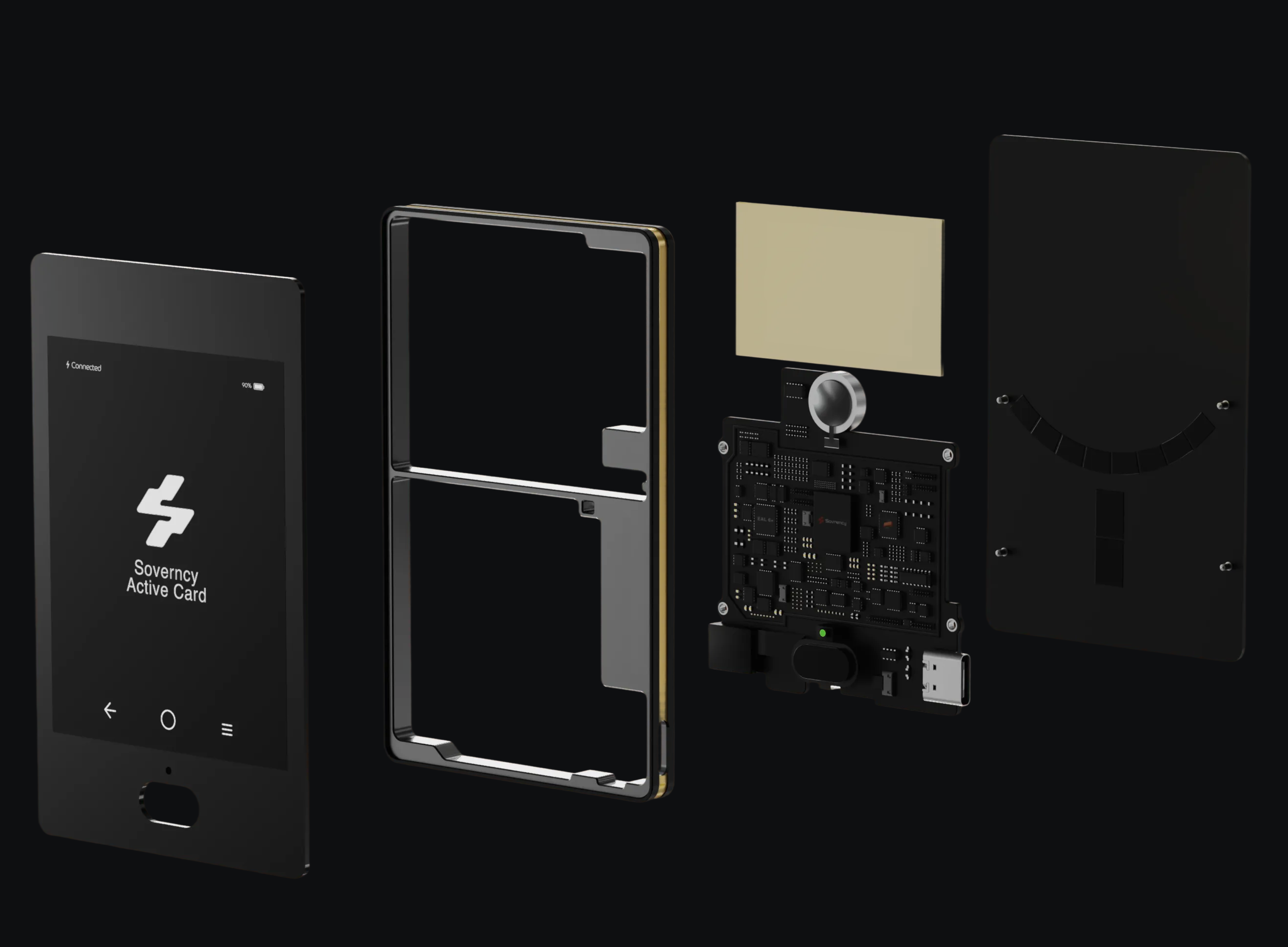
Most people buy a hardware wallet for one reason:
“If something bad happens, I’ll be safe.”
But when something actually goes wrong, it rarely matches the marketing:
Phone lost or stolen while traveling
Locked out of Apple/Google account
Cloud backup not accessible when needed
Hardware device broken or missing
Nobody fully sure what the recovery steps are
Most setups are not designed from the incident backwards.
Silicon Key is.
1. Start From the Real Recovery Matrix
Before designing the device, we mapped out every important asset and every realistic loss scenario:
Portable Key (PK) – active signing key on your phone
Passkey – unlocks the Guardian Key and decrypts the Portable Key Backup
Portable Key Backup (PK Backup) – encrypted Recovery Kit file in your personal cloud
Guardian Key (GK) – server-side key on HSMs, never “lost” by the user
Silicon Key (SK) – active signing key on the physical hardware device
Backup Card – NFC card that stores an encrypted backup of Silicon Key’s key share, protected by its own PIN
Assisted Email Recovery (AER) – optional mechanism to help you recover your Passkey, not your keys directly
For each combination of what’s lost and what’s still available, we asked:
Can the user fully recover their Portable Key?
Can they recover their Silicon Key?
Is this scenario permanent loss?
Silicon Key was then designed to make as many meaningful “recovery possible” scenarios real as we can, while keeping the truly unrecoverable edge cases honest.
2. Silicon Key’s Role: More Than “Another Hardware Wallet”
In Sovrency, Silicon Key has two critical roles:
An active signing key share on a dedicated hardware device.
A recovery agent that can cooperate with the Guardian Key to create a brand-new Portable Key when your phone and PK Backup are gone.
Most hardware wallets are:
Either the only key location, or
Just another signer in a vague multisig setup
Silicon Key is explicitly:
A physical anchor for high-value, sensitive actions
A recovery lever in specific incident paths defined in the recoverability matrix
It doesn’t try to be “everything”. It has a clear job in the system.
3. The Backup Card: Offline Safety Net for Silicon Key
Silicon Key is paired with a dedicated Backup Card:
An NFC card with its own secure element
Protected by a separate Backup PIN
Its only purpose is to restore the Silicon Key’s key share onto a new device if the original Silicon Key is lost or broken
The Backup Card:
Does not sign everyday transactions
Does not replace Silicon Key in normal usage
Exists purely as an offline recovery asset for Silicon Key
Practical outcome:
If your Silicon Key device dies, you can restore Silicon Key onto a new device using:
Backup Card
Backup PIN
If you lose the Backup Card but still have:
A working Silicon Key, and
A working Portable Key + PK Backup
→ Your wallet remains fully operational; you just need to create a new Backup Card while everything is intact.
So the roles are clean:
Silicon Key – live hardware key share + recovery agent in some flows
Backup Card – offline safety net for Silicon Key’s share, never used for daily signing
4. How Silicon Key Behaves in Key Incident Scenarios
Let’s walk through the main recoverability paths where Silicon Key and Backup Card matter.
Scenario A – Phone lost, cloud backup intact (Standard PK Restore)
Portable Key (phone): lost
Passkey: available
Portable Key Backup (cloud): available
Silicon Key / Backup Card: not required here
Flow:
You set up Sovrency on a new phone.
You use your Passkey to decrypt the Portable Key Backup stored in your personal cloud.
Portable Key is restored on the new device.
This is the common “new phone / broken phone” path.
Silicon Key isn’t needed here by design; Everyday Mode recovery is kept simple.
Scenario B – Silicon Key device dead or missing (Silicon Key Restore)
Portable Key (phone): available
Passkey + PK Backup: available
Silicon Key (device): lost / broken
Backup Card: available
Flow:
You obtain a new Silicon Key device.
You tap the Backup Card and enter the Backup PIN.
The Silicon Key key share is restored onto the new device.
Your wallet continues to work; you’ve just replaced the hardware anchor.
Scenario C – Phone and PK Backup gone (Disaster PK Recovery)
This is where Silicon Key becomes a critical recovery agent.
Portable Key (phone): lost
Portable Key Backup (cloud): lost / inaccessible
Passkey: available
Silicon Key: available
Backup Card: not mandatory for this flow
Without Silicon Key, losing both your device and PK Backup would normally be catastrophic.
With Sovrency, you can still perform full Portable Key recovery:
Your Passkey lets you re-establish trust with the Guardian Key on HSMs.
Guardian Key and Silicon Key cooperate to generate a brand-new Portable Key on your new phone.
You’re back in, with a fresh Portable Key, without ever directly handling seed phrases.
Silicon Key is effectively a hardware co-signer that makes this disaster recovery path possible.
Scenario D – Phone, PK Backup, and Passkey gone (Ultimate Recovery with AER)
This is a much rarer, but very serious scenario:
Portable Key (phone): lost
Portable Key Backup (cloud): lost / inaccessible
Passkey: lost
Silicon Key: available
Backup Card: optional here
Assisted Email Recovery (AER): enabled
Normally, losing Passkey + Portable Key + PK Backup is game over.
With AER and Silicon Key:
AER helps you recover your Passkey (authentication credential), following strong verification steps.
With the recovered Passkey, you re-establish access to the Guardian Key.
Guardian Key and Silicon Key then follow the same Disaster PK Recovery logic as Scenario C to create a new Portable Key.
This is your last-resort recovery route.
Silicon Key is the hardware asset that keeps this path possible.
If Silicon Key is also gone in this scenario and you have no PK Backup and no Backup Card, there is ultimately no wallet data left to rebuild.
AER can help you recover your Passkey, but there is nothing meaningful left on-chain to “unlock”. That’s true permanent loss, and the matrix is honest about it.
Scenario E – Silicon Key and Backup Card both lost (Silicon Key Replacement)
Portable Key (phone): available
Passkey + PK Backup: available
Silicon Key: lost
Backup Card: lost
This is Silicon Key replacement, not a full disaster:
Your current Portable Key and Passkey (guardian access) approve removing the lost Silicon Key from your configuration.
You add a new Silicon Key device and generate a fresh hardware key share.
You create a new Backup Card for that new Silicon Key.
You’re not locked out.
You just rebuild your hardware layer while your software layer (Portable Key + PK Backup + Guardian Key) is still intact.
5. Honest Edges: When Recovery Is Truly Impossible
The recoverability matrix also defines the hard edges where recovery is not realistically possible.
If, for example, you lose:
Your Portable Key (phone)
Your Portable Key Backup (cloud)
Your Passkey
Your Silicon Key
Your Backup Card, and
You never had Assisted Email Recovery enabled
Then there is no way back.
No one—including Sovrency—has enough remaining assets or cryptographic material to reconstruct your keys.
This is the cost of real self-custody: past a certain threshold, loss is permanent.
The point of:
Portable Key
Guardian Key
Silicon Key
Backup Card
Portable Key Backup
Passkey
Optional AER
…is to push that permanent-loss line as far out as possible, without crossing into custodial access.
6. How This Changes How You Think About Hardware
Silicon Key isn’t “a fancy hardware wallet you occasionally use”.
It is a well-defined component in your self-custody system:
A hardware signing share for high-value actions
A recovery agent in specific disaster paths
Backed by a dedicated Backup Card so the hardware layer is itself recoverable
In Sovereign Mode, your mental model becomes:
Portable Key (phone) – everyday signer
Guardian Key (HSM) – always-on co-signer, policy enforcer
Silicon Key (hardware) – hardware anchor + recovery agent
Backup Card – offline safety net for Silicon Key’s key share
Portable Key Backup – cloud-encrypted backup, gated by Passkey
Passkey + optional AER – authentication and ultimate recovery support
The result is simple:
A system where bad days are mapped in advance,
and where hardware isn’t a lucky charm — it’s a precise tool in a clear recovery matrix.
That’s the standard Silicon Key is built to meet.
Author

Abderrahmen Hanafi
Head of Protocol & Product